
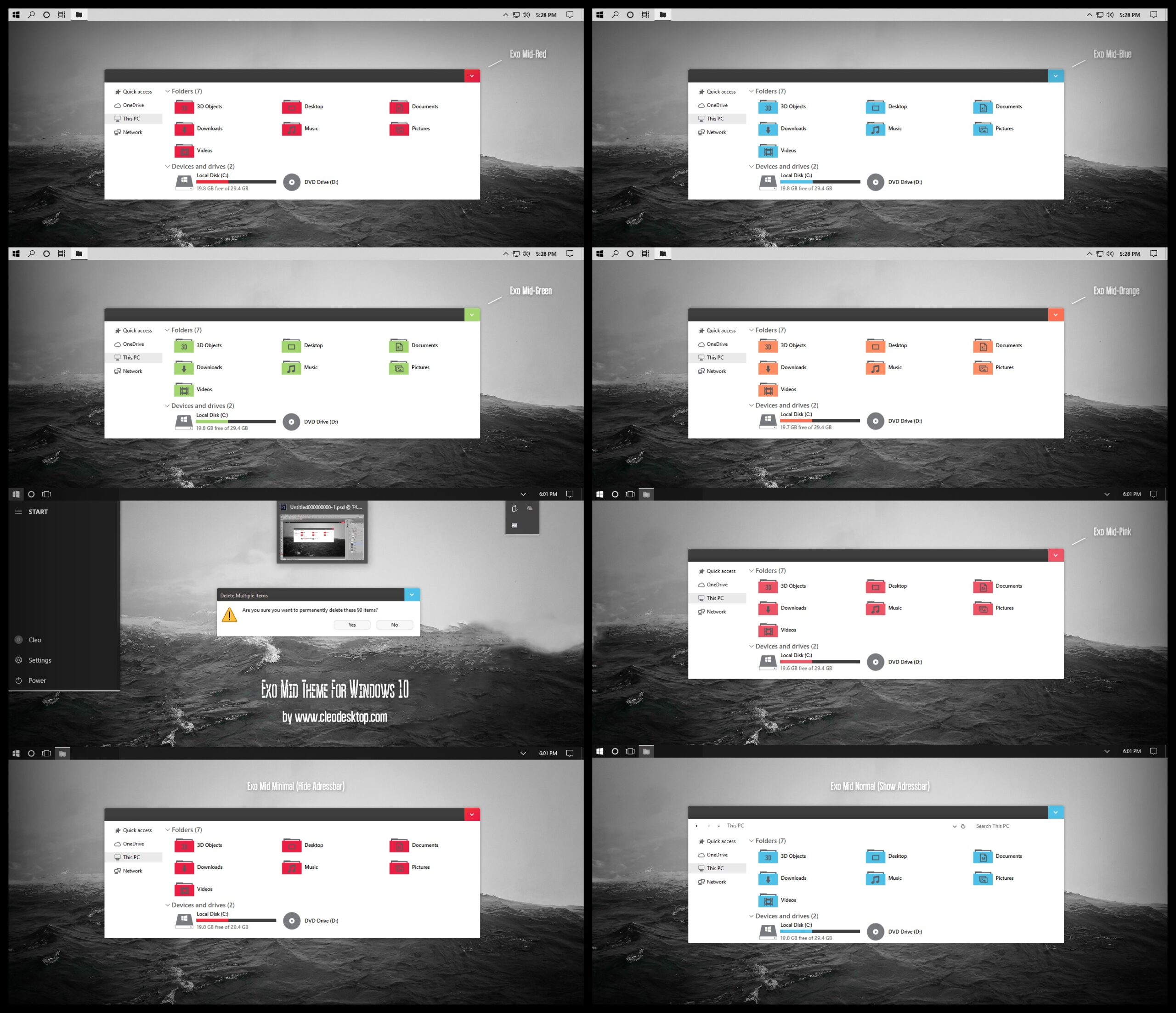
Theme For All Windows10 Versions 10586, 1607, 1703, 1709, 1803, 1809, 1903, 1909, 2004, 20H2, 21H1, 21H2, 22H2.
Compatible for both x64 & x86 system
- How to install
– For using this theme first you need install UltraUXThemePatcher [link]
– Copy all file in “Theme” folder to “%windir%/Resources/Themes”.
– You Need Install OldNewExplorer (Setting Install like picture “OldNewExplorer Setting”).
– Open personalize panel and apply theme.
Exo Mid Theme For Windows 10
———————
Have 20 Versions + 5 iPack Icon:
[ 10 Version Exo Mid Minimal + 10 Version Exo Mid Normal ]
———————-
Exo Mid Minimal (Hide Adressbar)
[ 5 Version Hide CommanBar + 5 Version Show CommanBar ]
Exo Mid-Blue
Exo Mid-Green
Exo Mid-Orange
Exo Mid-Pink
Exo Mid-Red
—————————-
Exo Mid Normal (Show Adressbar)
[ 5 Version Hide CommanBar + 5 Version Show CommanBar ]
Exo Mid-Blue
Exo Mid-Green
Exo Mid-Orange
Exo Mid-Pink
Exo Mid-Red
————-
5 iPack Icon
———
Exo Mid-Blue iPack Icon
Exo Mid-Green iPack Icon
Exo Mid-Orange iPack Icon
Exo Mid-Pink iPack Icon
Exo Mid-Red iPack Icon
+
Theme For Chrome
——
(Buy at only 5.99 $)
Gallery Windows 11 Themes [link]
==================
Gallery Windows 10 Themes [link]
==================
Cleodesktop Theme Store