
3.9K
Theme For Windows 11 21H2 + 22H2 + 23H2+ 24H2+25H2.
Theme For Windows 11 21H2 + 22H2 + 23H2+ 24H2+25H2.
——————————————————
And Windows 10 1909, 2004. 20H2, 21H1, 21H2, 22H2.
Compatible for both x64 & x86 system
- How to install
– For using this theme first you need install UltraUXThemePatcher [link]
– Copy all file in “Theme” folder to “%windir%/Resources/Themes”.
– You Need Install OldNewExplorer (Setting Install like picture “OldNewExplorer Setting”).
– Open personalize panel and apply theme.
Video Preview
Nouvel Theme For Windows 11 And Win 10
—————–
Support DPI 100%, 125%, 150%, 175% 200%, 225%, 250% Scaling
——–
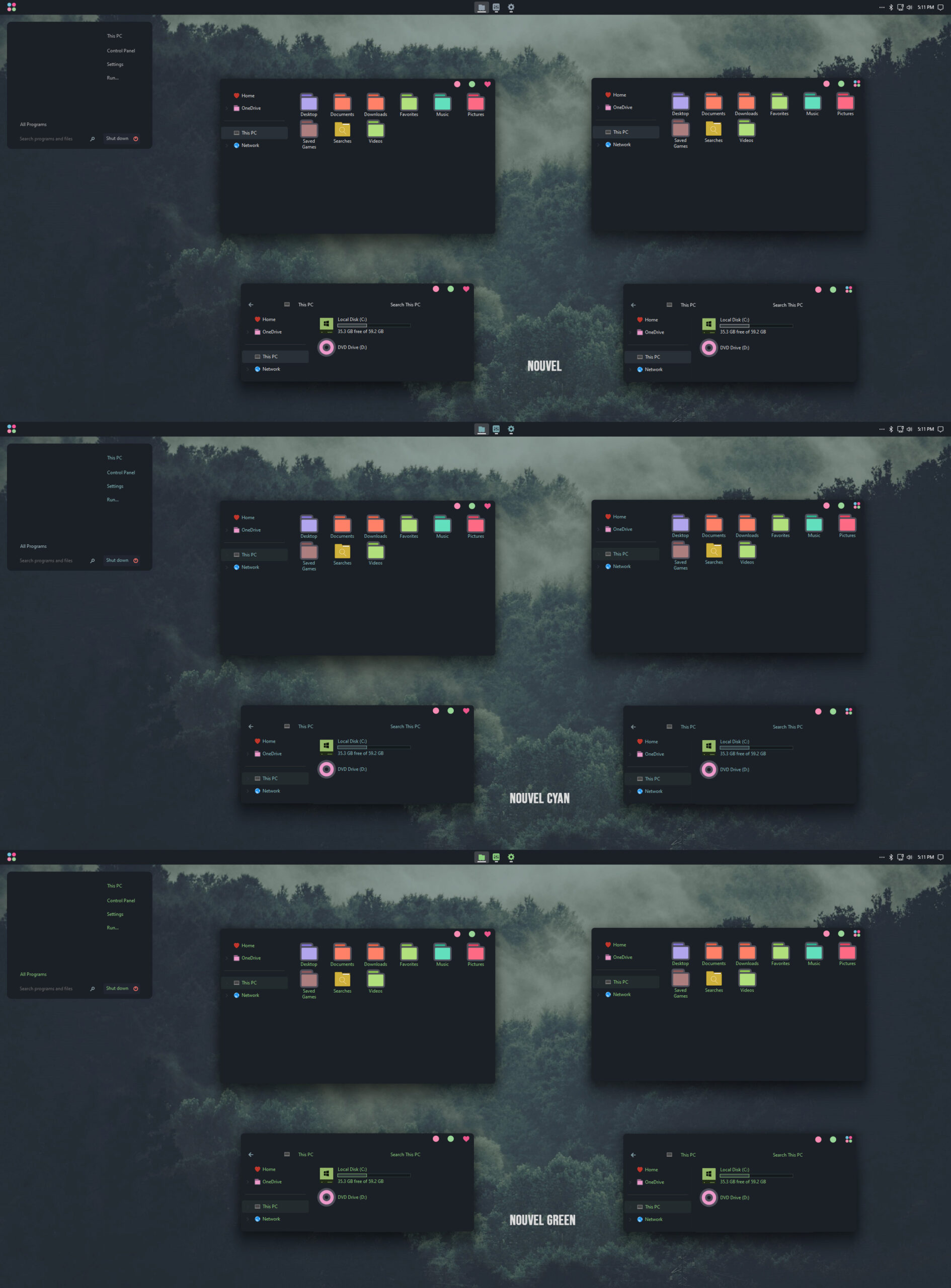
Have 12 Versions + Icon Pack +155 Taskbar Icons:
Nouvel
Nouvel Minimal
———
Nouvel Cyan
Nouvel Cyan Minimal
———–
Nouvel Green
Nouvel Green Minimal
=========
Nouvel 2
Nouvel 2 Minimal
———
Nouvel 2 Cyan
Nouvel 2 Cyan Minimal
———–
Nouvel 2 Green
Nouvel 2 Green Minimal
———-
+ Nouvel Icon Pack
+ 55 GRAY Taskbar Icons
+ 100 GREEN Taskbar Icons
(Buy at only $9.99)


(Buy at only $9.99)